Overview of the Migration Portal Projects Page
The Migration Portal Projects page provides detailed information about your migration.
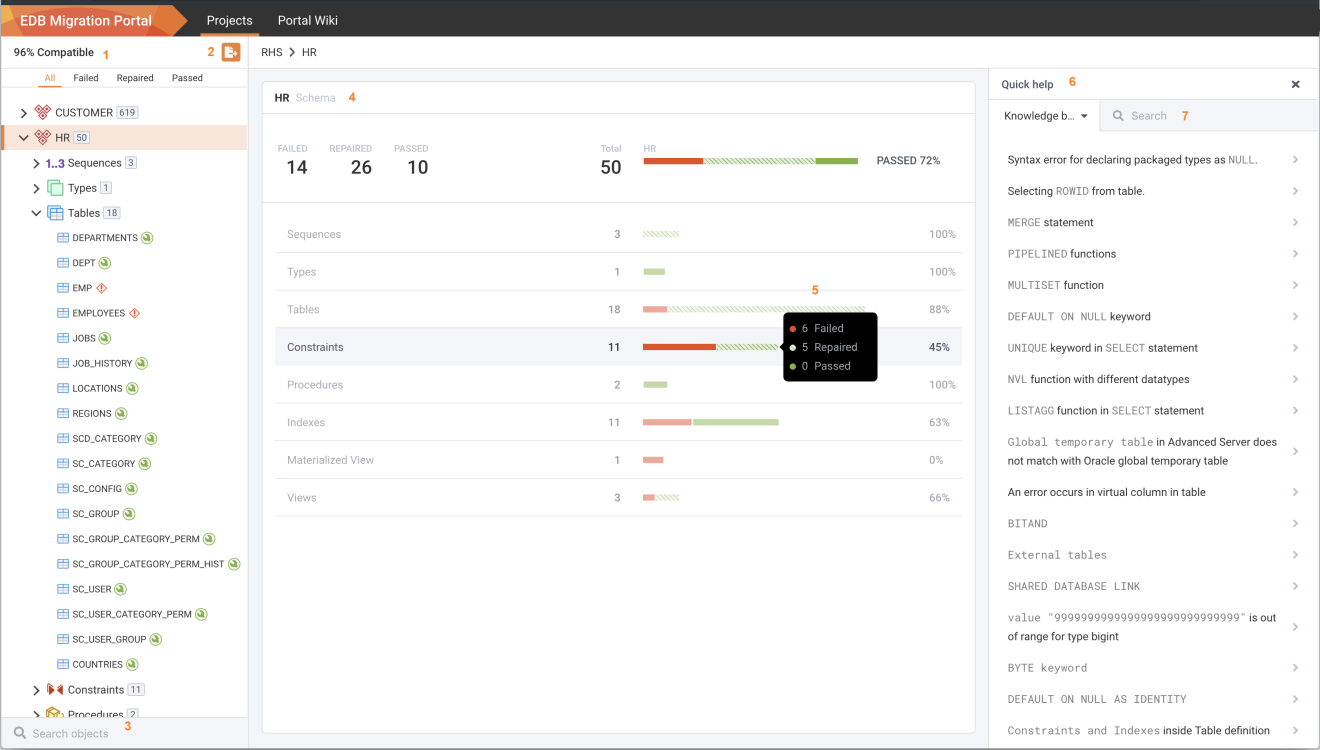
The Migration Portal Projects Page overview.
Use the following resources to gather information about your migration projects:
Compatible: The
Compatiblepanel displays a list of schemas and provides information(passed, failed, or repaired)about each object that has been assessed.Note: You can also filter the system repaired and manual repaired objects from the left panel of the Project page.
Export: Use the
Exporticon (located to the right of theCompatiblelabel) to either download the.sqlfile or to migrate the schema to an EDB Cloud Database Service cluster.Search: Use the
Searchicon to search for a project.Schema: The
Schemapanel displays the result of the assessment.Tooltip: Hover over a result set to display a tooltip with the number of passed, failed, and repaired objects.
Quick help: The
Quick helppanel displays links to Knowledge base articles that can be used to fix failed objects.Search: Use the
Searchbox to search the Knowledge base entries for information about repairing failed objects.
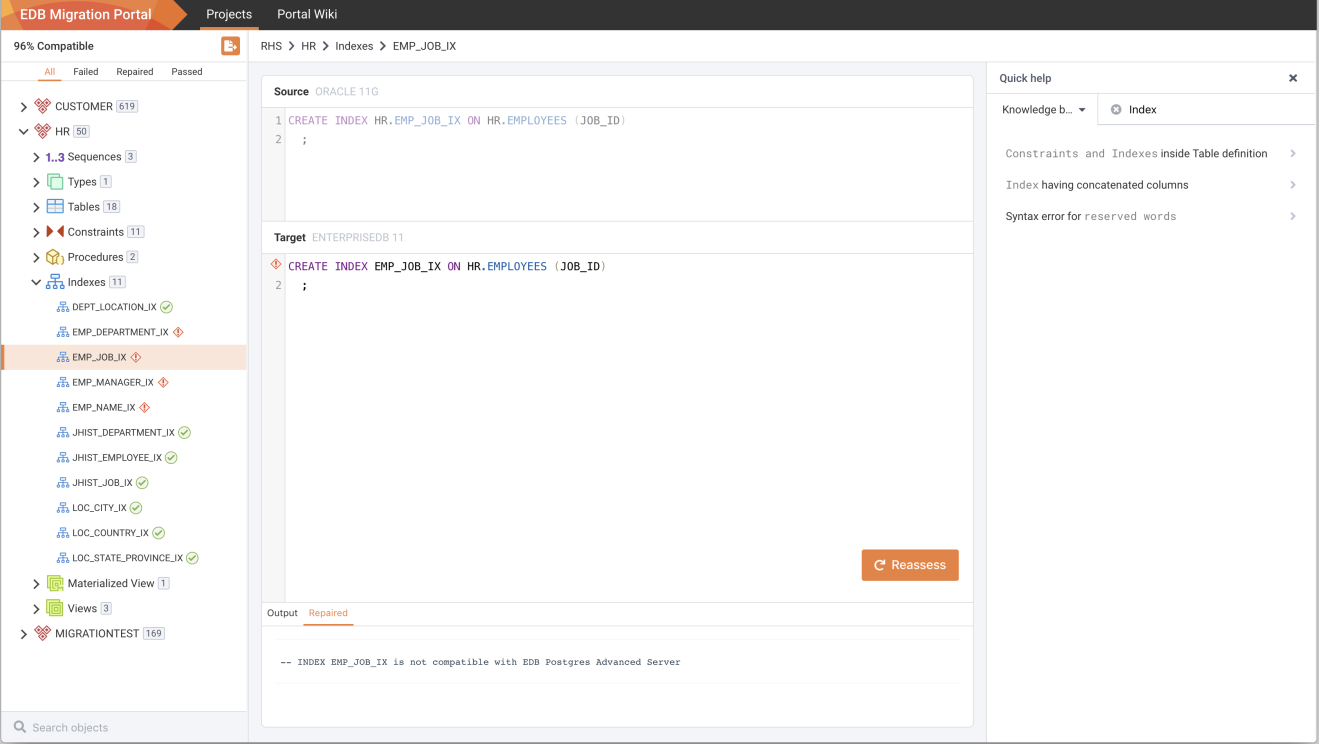
Searching the Knowledge Base entry.