Benchmarking
The CNPG kubectl plugin provides an easy way for benchmarking a PostgreSQL deployment in Kubernetes using CloudNativePG.
Benchmarking is focused on two aspects:
the database , by relying on Benchmarking the database with pgbench
the storage , by relying on Benchmarking the storage with fio
Important
pgbench and fio must be run in a staging or pre-production environment. Do not use these plugins in a production environment, as it might have catastrophic consequences on your databases and the other workloads/applications that run in the same shared environment.
pgbench
The kubectl CNPG plugin command pgbench executes a user-defined
pgbench job on an existing Postgres Cluster. The command also accepts
the --dry-run flag, this will output the job manifest without
applying it.
Example usage:
kubectl cnpg pgbench \
  -n <namespace> <cluster-name> \
  --pgbench-job-name <pgbench-job> \
  --db-name <db-name> \
  -- --time 30 --client 1 --jobs 1
Example of how to run pgbench against a Cluster named
cluster-example in the pgbench namespace:
kubectl cnpg pgbench \
   -n pgbench cluster-example \
   --pgbench-job-name pgbench-job \
   -- --time 30 --client 1 --jobs 1
Example of how to run pgbench on an existing database by using the
--db-name flag and the pgbench namespace:
kubectl cnpg pgbench \
  -n pgbench cluster-example \
  --db-name pgbench \
  --pgbench-job-name pgbench-job \
  -- --time 30 --client 1 --jobs 1
The job status can be fetched by running:
kubectl get job/pgbench-job -n <namespace>

NAME               COMPLETIONS   DURATION   AGE
pgbench-job-name   1/1           15s        41s
Once the job is completed the results can be gathered by executing:
kubectl logs job/pgbench-job -n <namespace>
fio
The kubectl CNPG plugin command fio executes a fio job with default
values and read operations. The command also accepts a --dry-run
flag, this will output the fio manifest without applying it.
Note
The kubectl plugin command fio will create a deployment with predefined fio job values using a ConfigMap. If you want to provide custom job values, we recommend generating a manifest using the –dry-run flag and providing your custom job values in the generated ConfigMap.
Example usage:
default
kubectl cnpg fio <fio-name>
```  with values

```shell
kubectl cnpg fio <fio-name> \
  -n <namespace>  \
  --storageClass <name> \
  --pvcSize <size>
Example of how to run the fio command against a StorageClass
named standard and pvcSize: 2Gi in the fio namespace:
kubectl cnpg fio fio-job \
  -n fio  \
  --storageClass standard \
  --pvcSize 2Gi
The deployment status can be fetched by running:
kubectl get deployment/fio-job -n fio

NAME          READY   UP-TO-DATE   AVAILABLE   AGE
fio-job        1/1     1            1           14s
After running kubectl plugin command fio .
It will:
Create a PVC
Create a ConfigMap representing the configuration of a fio job
Create a fio deployment composed by a single Pod, which will run fio on the PVC, create graphs after completing the benchmark and start serving the generated files with a webserver. We use the
fio-tools <https://github.com/wallnerryan/fio-tools>`__ image for that.
The Pod created by the deployment will be ready when it starts serving the results. You can forward the port of the pod created by the deployment
kubectl port-forward -n <namespace> deployment/<fio-name> 8000
and then use a browser and connect to http://localhost:8000/ to get
the data.
The default 8k block size has been chosen to emulate a PostgreSQL workload. Disks that cap the amount of available IOPS can show very different throughput values when changing this parameter.
Below is an example diagram of sequential writes on a local disk mounted on a dedicated Kubernetes node (1 hour benchmark):
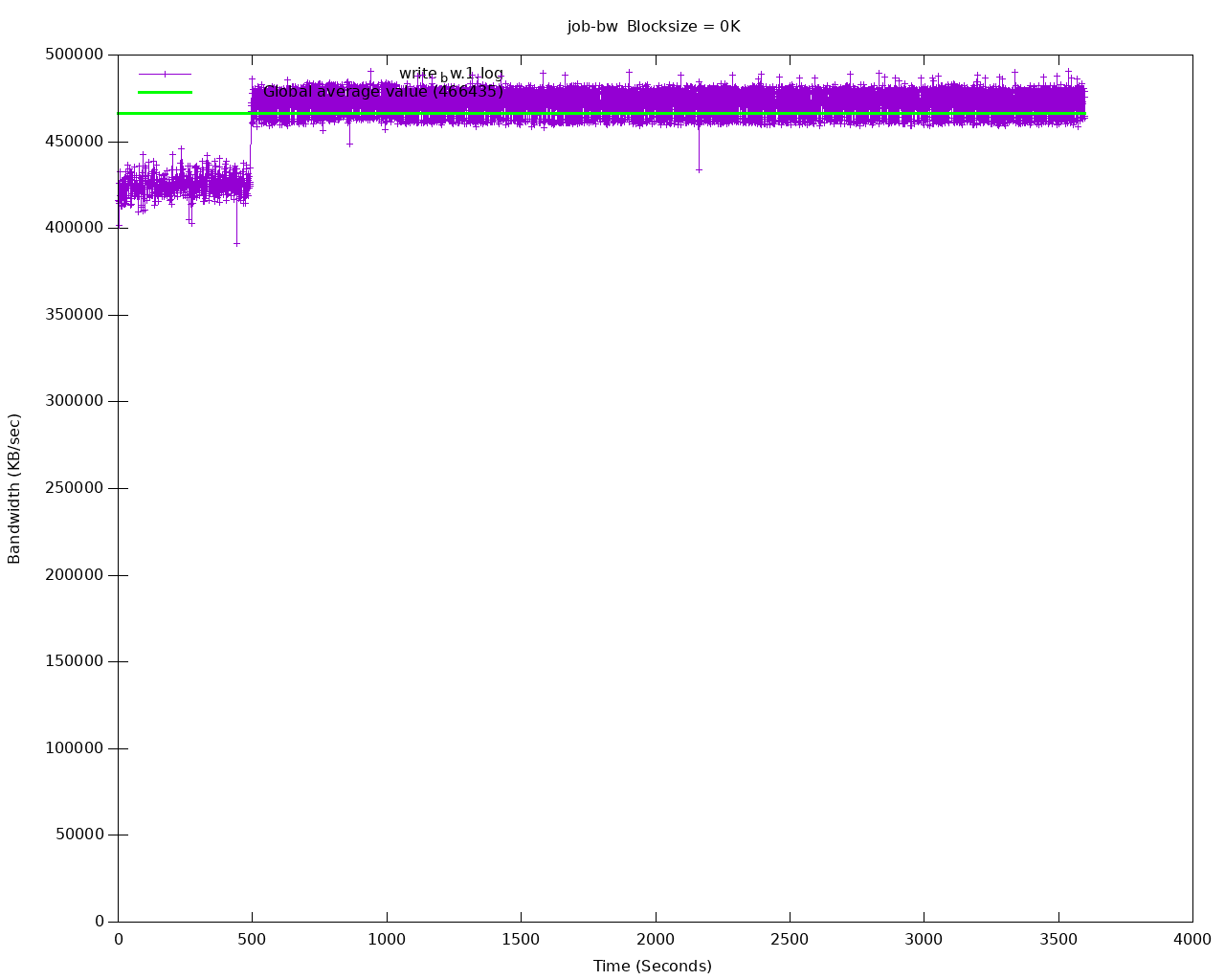
Sequential writes bandwidth
After all testing is done, fio deployment and resources can be deleted by:
shell kubectl cnpg fio <fio-job-name> --dry-run | kubectl delete -f -
make sure use the same name which was used to create the fio deployment
and add namespace if applicable.