Performing a schema assessment
You can assess an Oracle database schema for compatibility with EDB Postgres Advanced Server. You can also generate a report about the assessment.
Perform a schema assessment
Navigate to Using Migration Portal .
Enter your EDB credentials.
Select New to create a project.
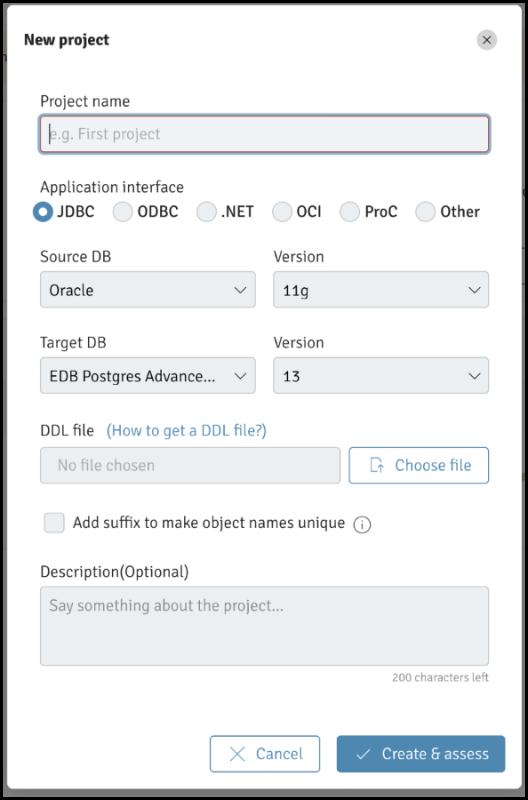
The Migration Portal New project dialog
In the dialog box, enter the project name in the Projectname field.
Specify project details:
Select the application interface. - Select a source DB and version for the source. - Select the target DB and Version for the target.
To upload the
.SQLfile generated with your schema metadata, select Choosefile .
Note
Don’t modify the .SQL file.
To specify adding a suffix to indexes (_IDX) and constraints (_CON) when creating a project, select the Addsuffixtomakeobjectnamesunique check box. This selection ensures better assessment results, as EDB Postgres Advanced Server doesn’t support the same name for tables and indexes whereas Oracle does.
Select Create&assess to create a new project and to assess the schemas.
The analysis tool reviews every construct and executes repair actions to improve compatibility with EDB Postgres Advanced Server. It flags any remaining errors that require manual intervention.
Verify the DDL objects (e.g., TABLES) that don’t show a 100% success ratio.
Select the objects that aren’t compatible with EDB Postgres Advanced Server and view the details. At the bottom of the middle panel, you can view repair action details.
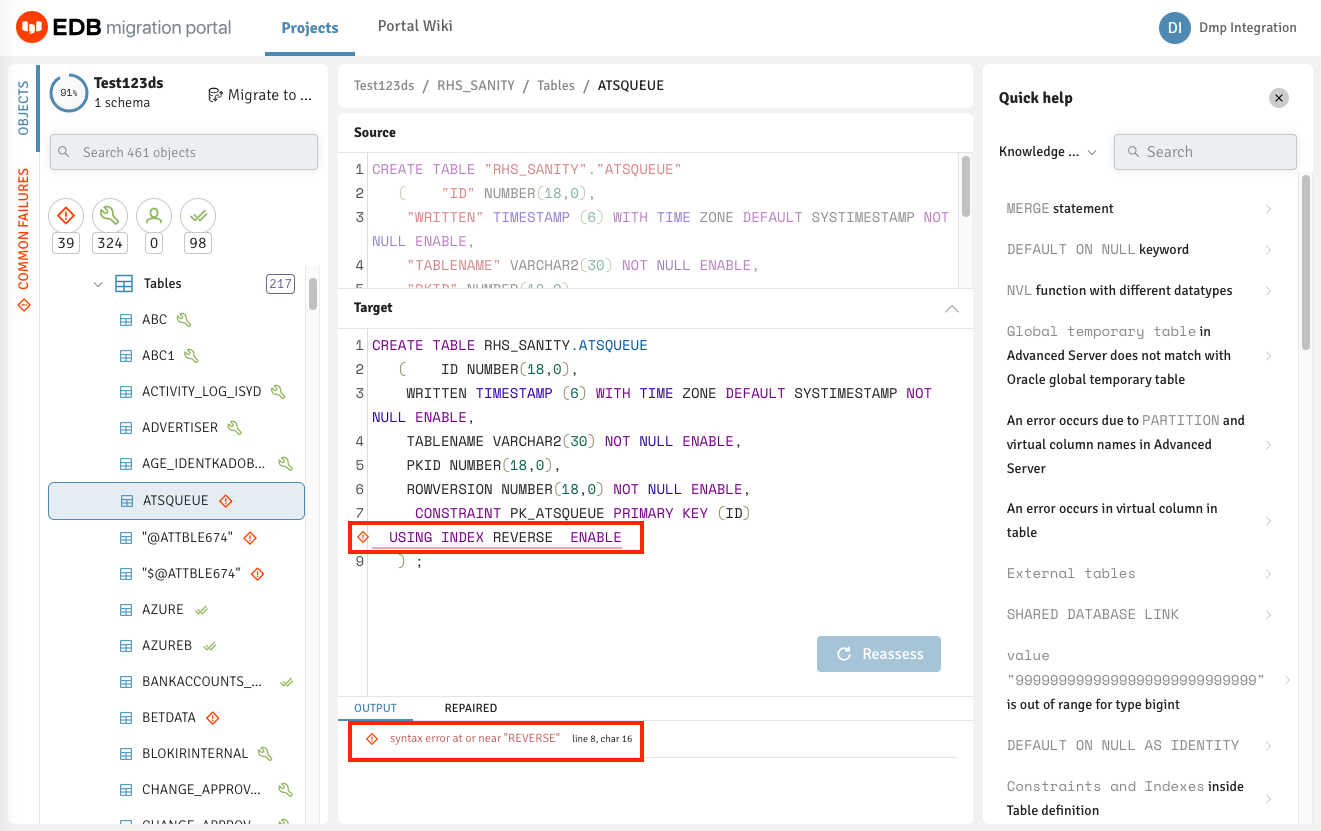
Incompatible objects are identified
Refer to the Knowledge Base information in the right panel to locate the possible workarounds for the objects that aren’t immediately compatible with EDB Postgres Advanced Server. You can also view the Knowledge Base information on the Portal wiki page.
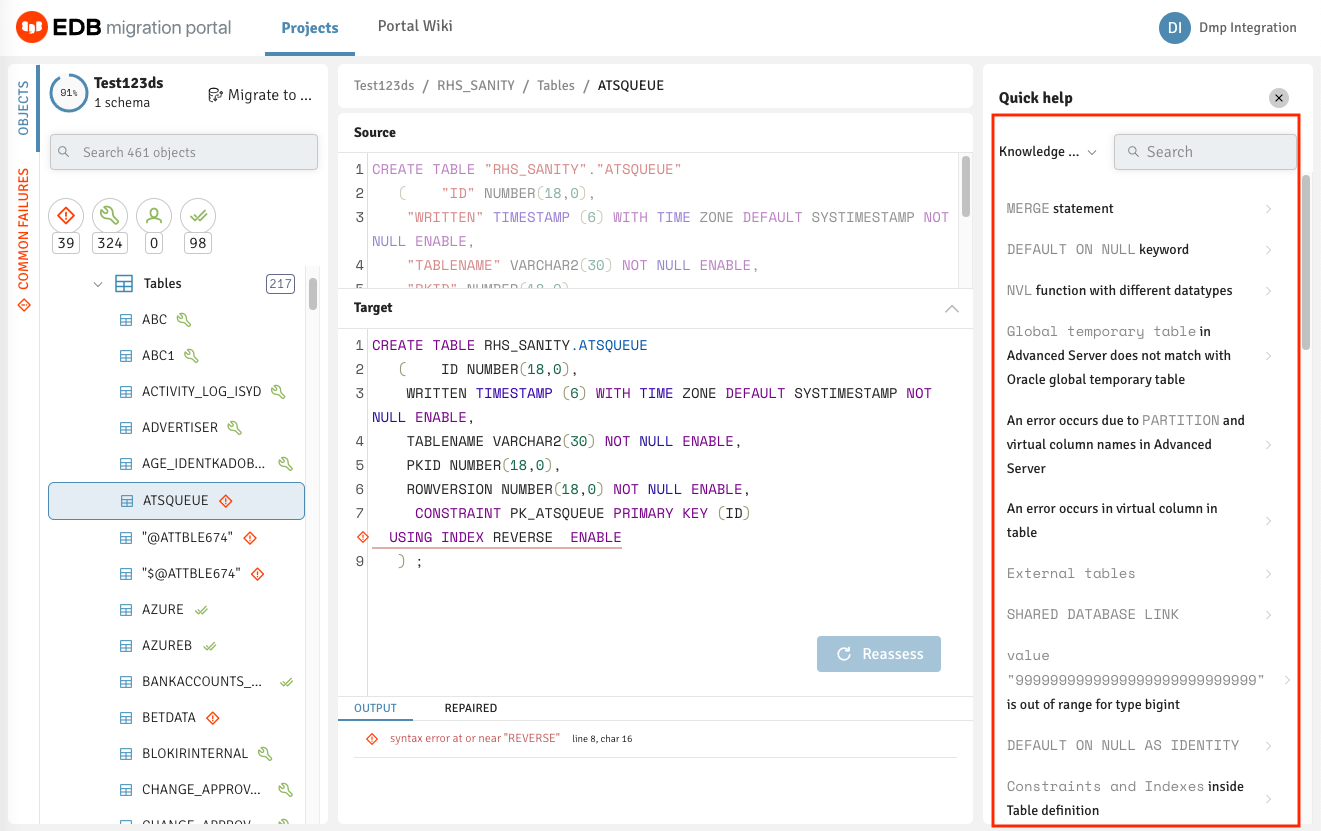
Incompatible objects are identified
On the KnowledgeBase tab, you can enter the error message for the incompatible objects with EDB Postgres Advanced Server and select Search .
The object detail panel displays the workaround or the resolution for the failed object. You can manually make the changes on the Assessment tab for that object and select Reassess .
Note
If any failed object passes while reassessing, the dependent objects for that object are also reassessed.
Similarly, you can make all incompatible objects compatible.
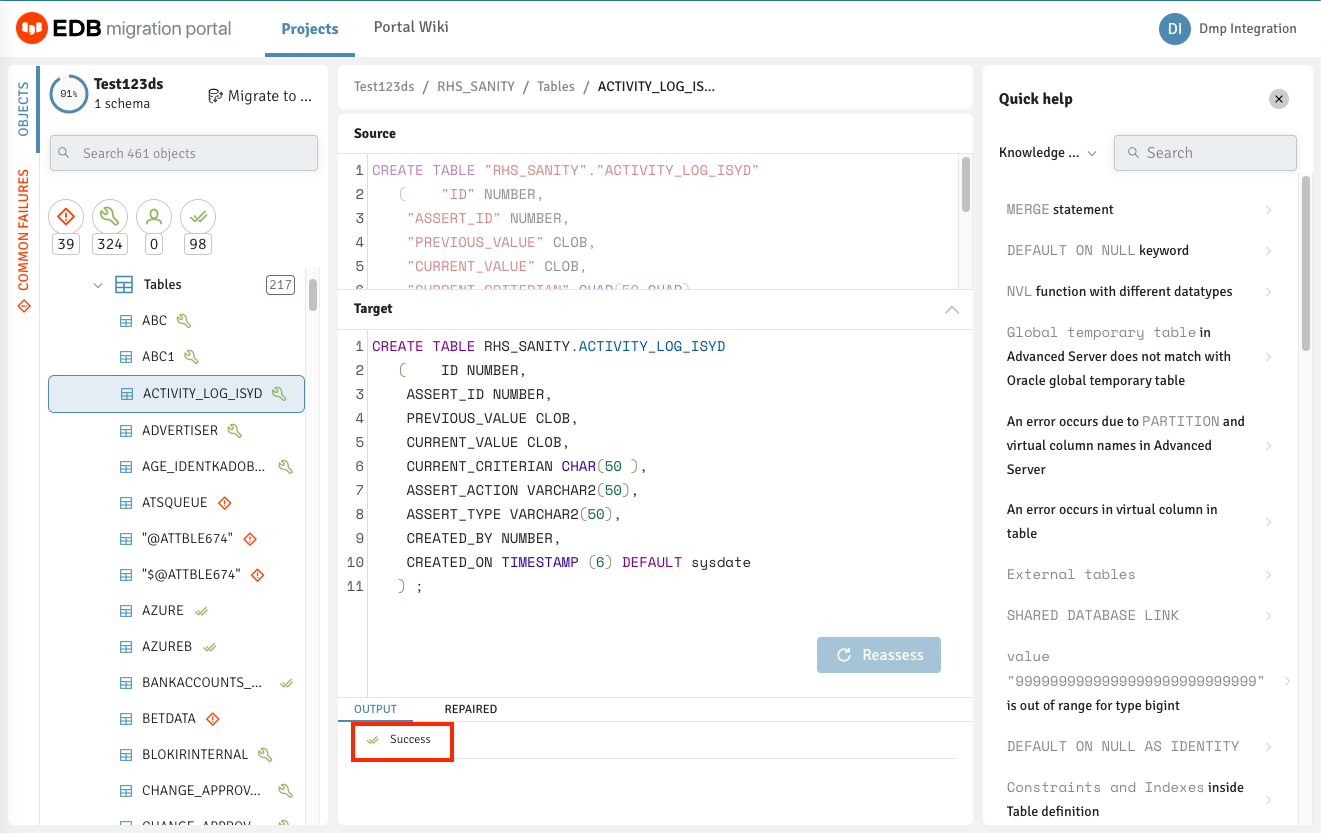
Workaround or resolution for incompatible objects
Note
If the information or workaround for incompatible objects isn’t available in the Knowledge Base, contact the Support team for help.
When you have finished working with the DDL, you can either download the
modified EDB-compatible DDL as a .sql file or migrate the schemas.
See Schema migration .
Generate an assessment report
Migration Portal reports provide a high-level assessment summary of the schemas assessed for your project. In addition, the report provides details about the failed objects and the cause of failure.
Select Report .
Select the schemas to include in the report.
To generate the onscreen report, select Generate .
You can optionally select GeneratePDF to save the report in PDF format. You can also view the count of distinct repair handlers applied to the DDLs under the selected schemas.
Note
Migration Portal doesn’t assess sensitive PL/SQL source code hidden in Oracle wrapped objects. These wrapped objects aren’t included in the assessed objects count, and therefore the true value of compatibility percentage might be different from the value calculated in the assessment report. See the note in Performing a schema extraction for more information about wrapped objects.