Schema Migration
After resolving errors in your schemas, you can use the schemas with a client application such as pgAdmin, ToadEdge, or PSQL client or migrate the schema to an EDB Cloud Database Service (CDS) cluster.
Please Note: For more information, about using Toad Edge with Advanced Server, see Toad Edge® for Postgres.
Deploying schema using PSQL or pgAdmin
Ensure that the assessed schema is 100% compatible on Migration Portal.
Perform the following steps to deploy schema using PSQL or pgAdmin:
On the Project Page, select the required project.
Click
Export, to download the assessed file.

Selecting download file option
Click Download.

Downloading assessed file
(For PSQL) Connect to desired Advanced Server using psql/edb-psql client and run the following command:
edb=# \i /exported_ddls_folder/hr_schema/ProjHR_hr.sql
(For pgAdmin) Connect to the desired database and click
Open.Upload the schema and click
Run.
The Advanced Server instance must be installed in Oracle Mode to enable native compatibility with key Oracle capabilities.
Migrating a Schema to a CDS cluster
Perform the following steps to migrate your database to a CDS cluster:
On the
Projectpage, clickExport.Select the
Deploy to existing CDS cluster. Click here to launch new clusteroption.For information about creating a new cluster, see Creating a Server Cluster.
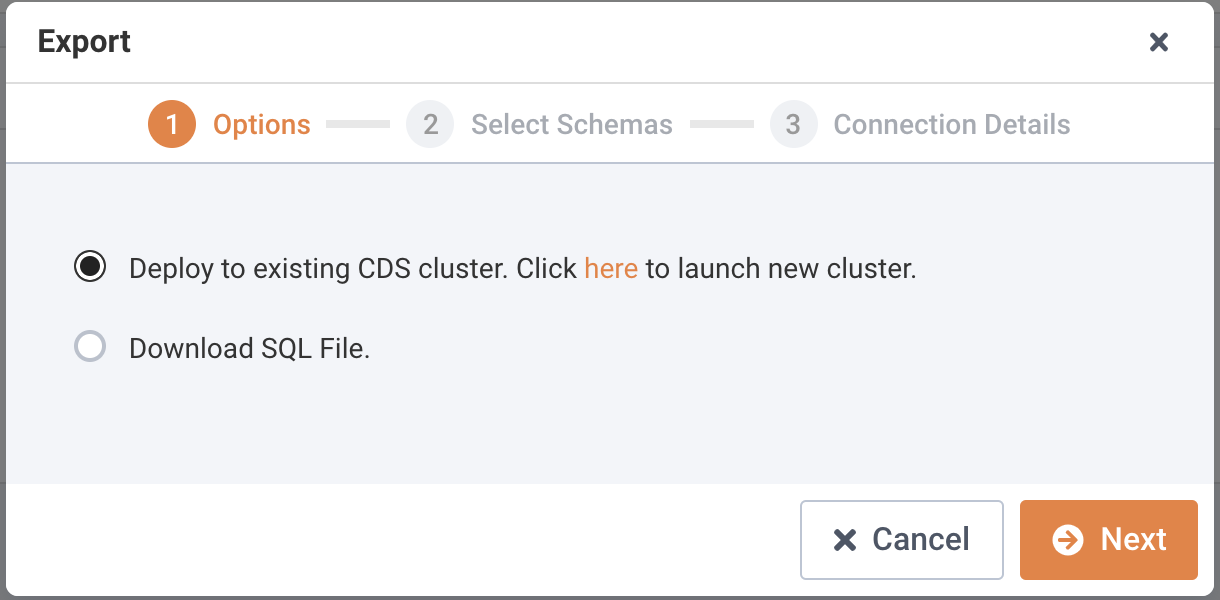
Migrating database to CDS cluster.
Click
Next.Select the schemas you wish to migrate.
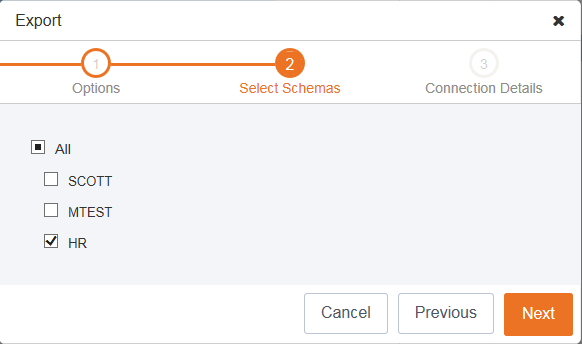
Select schemas for migration.
Click Next to continue.
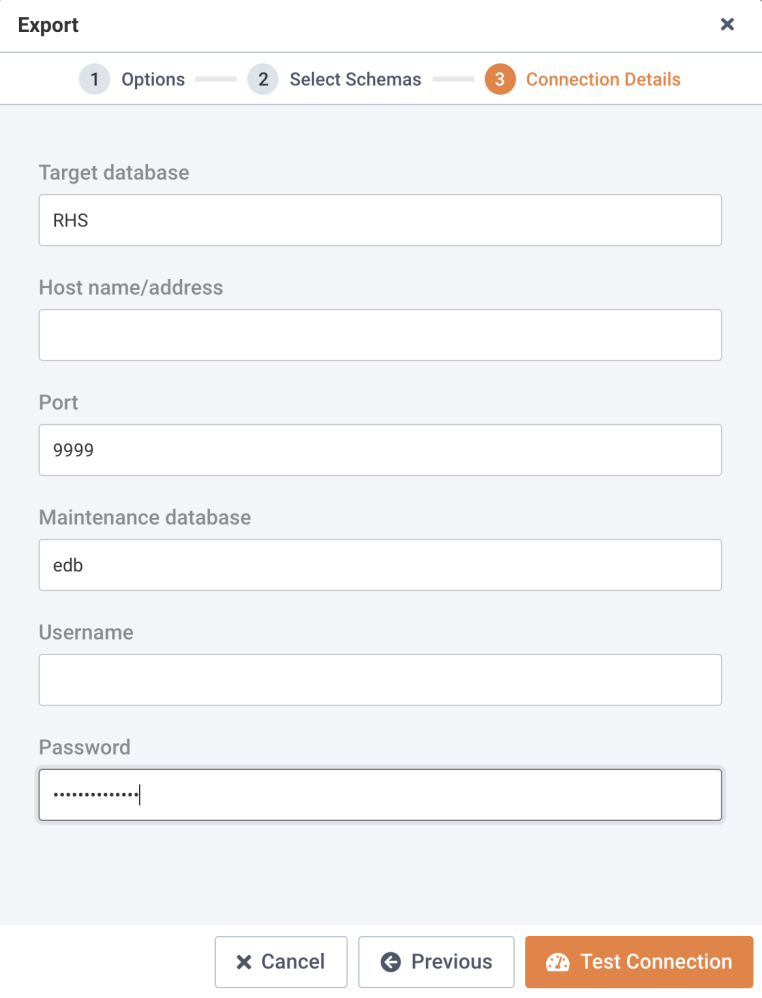
Provide connection details.
Enter the following details in the
Connection Detailsdialog:
Enter the hostname or IP address in the
Host name/addressfield.Enter the port number in the
Portfield.Enter the database name in the
Maintenance databasefield.Enter the user name in the
Usernamefield.Enter the password associated with the user in the
Passwordfield.
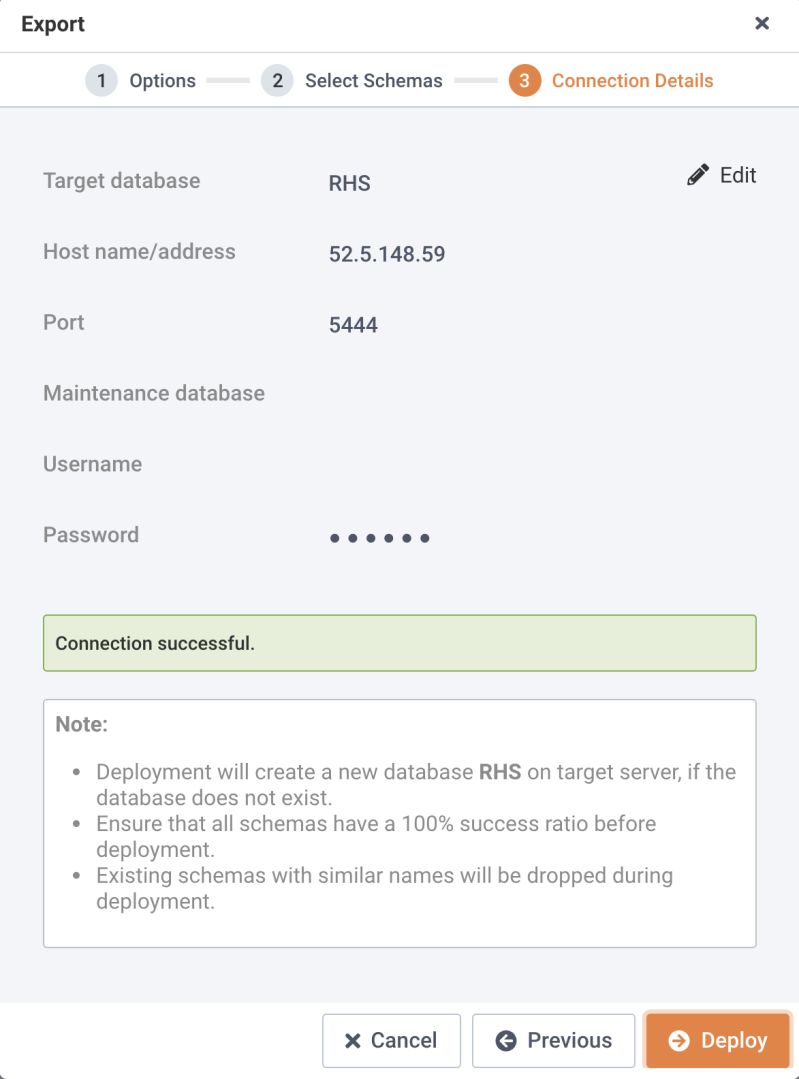
Testing a successful connection.
Click
Test Connectionto verify the connection details.Note: You can click
Editto make changes to the connection details and retest the connection details.Once the connection is successful, click
Deploy.You can view the deployment details on the
Deploydialog; clickDownload Summaryto download the deployment log.
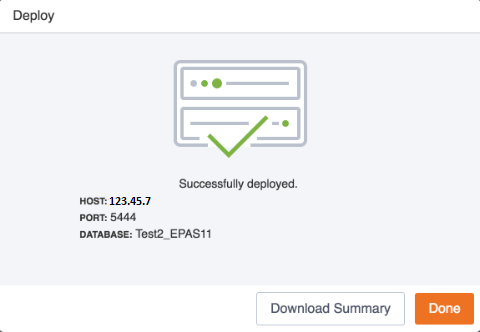
A successful deployment.
Click
Doneto close the window.