Overview of the Migration Portal Projects Page
The Migration Portal Projects page provides detailed information about your migration.
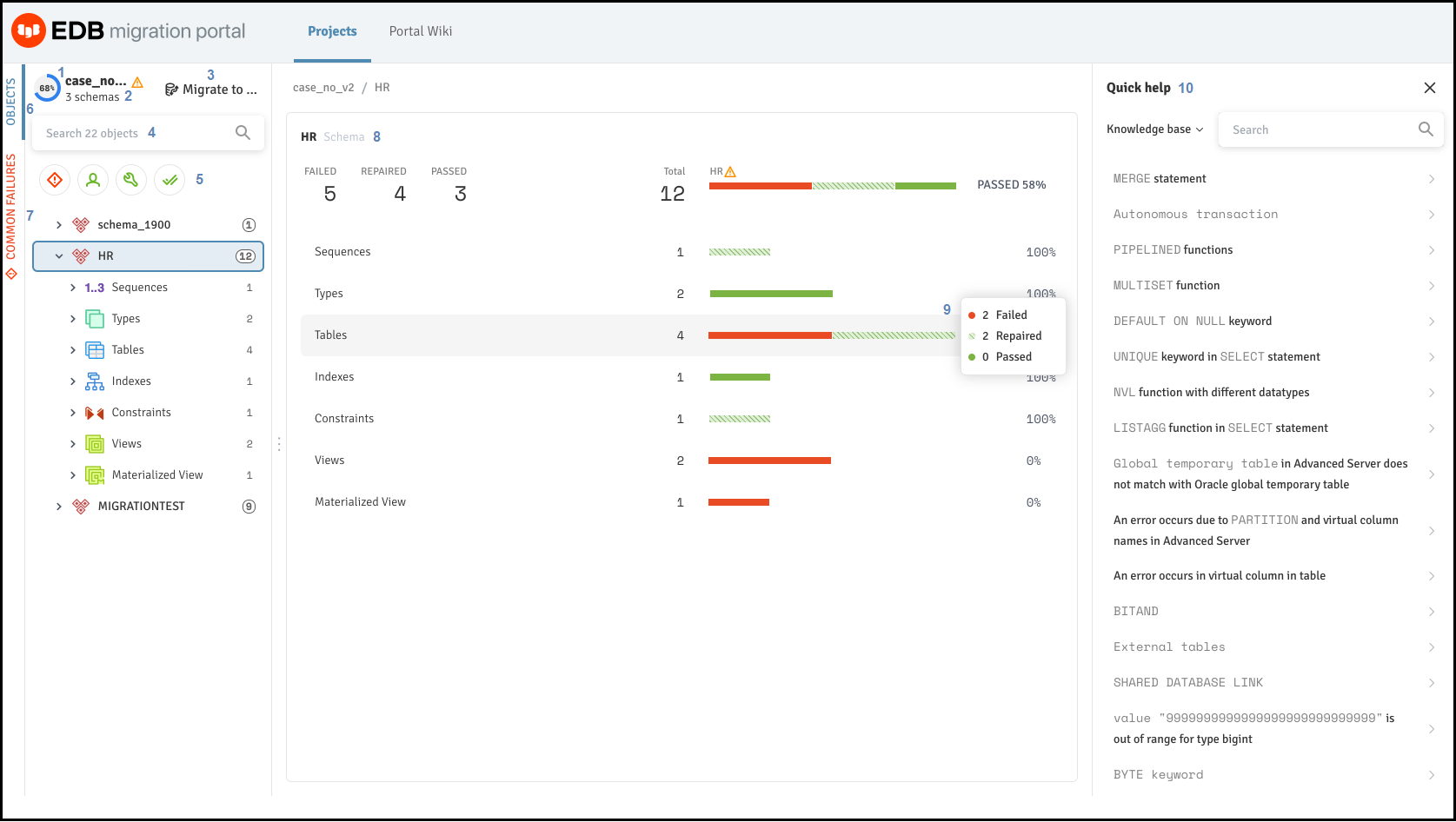
The Migration Portal Projects Page overview.
Figure 2-4: The Migration Portal Projects Page overview
Use the following resources to gather information about your migration projects:
Compatible: The
Compatiblegauge displays the color on the basis of the compatibility percentage of the assessed schema.Schema Count: Displays the number of schemas in a project.
Migrate to: Use the
Migrate toto migrate the schema to an EDB Postgres Advanced Server on-prmise or on cloud.Search objects: Use the
Searchbox to search for objects.Filters: You can filter the system repaired and manual repaired objects from the left panel of the Projects page. In addition, you can select one or more filter combinations to refine the information.
Objects: Displays the objects for the selected schemas.
Common Failures: Displays the reason for the failed objects for the selected schemas.
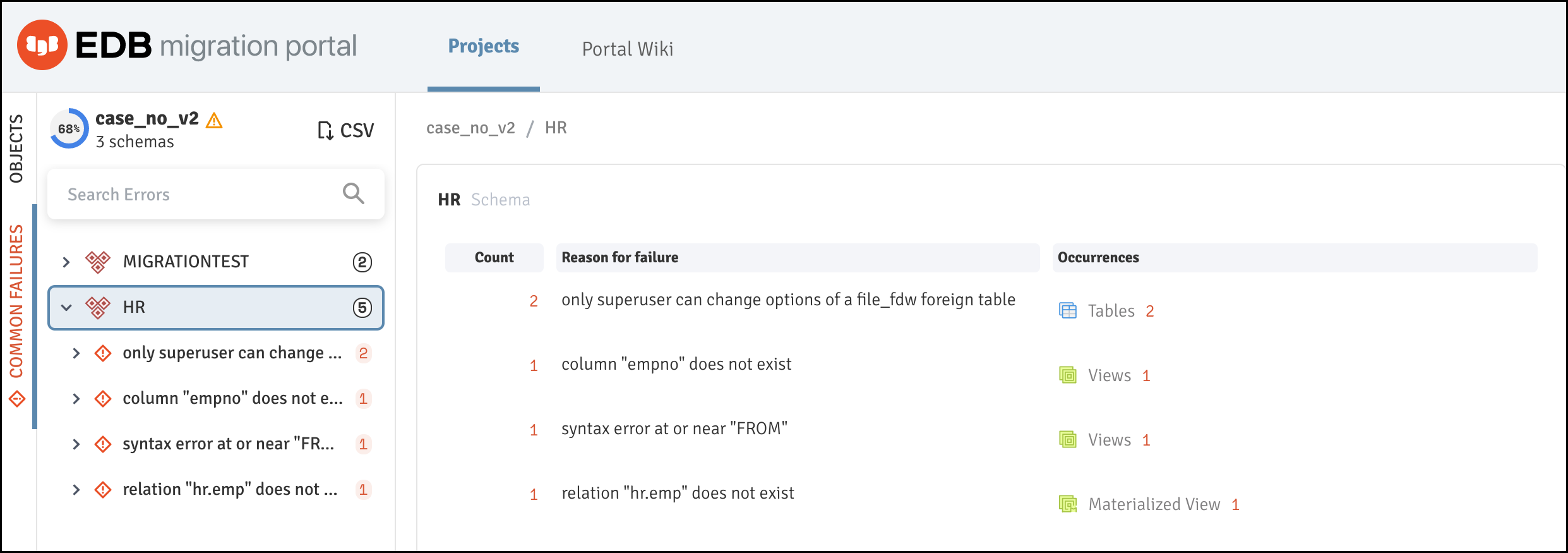
Common Failures tab
Figure 2-5: Common Failures tab
Note!! Note You can download a
CSVfile for the common failures for the project.
Schema: The
Schemapanel displays the result of the assessment.Tooltip: Hover over a result set to display a tooltip with the number of passed, failed, and repaired objects.
Quick help: The
Quick helppanel displays links to Knowledge base articles and repair handler documentation.Search: Use the
Searchbox to search theKnowledge baseentries or repair handler documentation for specific information.

Searching the Knowledge Base entry.
Figure 2-6: Searching the Knowledge Base entry