Uninstalling
This section walks you through uninstalling EDB PgBouncer.
Uninstalling EDB PgBouncer on a RHEL/Rocky Linux/AlmaLinux host
To uninstall EDB PgBouncer on a CentOS host, assume the identity of the root user and invoke the following command:
On RHEL/CentOS 7:
yum -y erase edb-pgbouncer<xx>
On RHEL/Rocky Linux/AlmaLinux 8:
dnf -y erase edb-pgbouncer<xx>
Where <xx> is the EDB PgBouncer version.
Uninstalling EDB PgBouncer on a Debian or Ubuntu host
To uninstall EDB PgBouncer on a Debian or Ubuntu host, invoke the following command:
apt-get remove edb-pgbouncer<xx>
Where <xx> is the version you want to uninstall.
Uninstalling EDB PgBouncer on an SLES 12 host
To uninstall PgBouncer on an SLES 12 host, assume the identity of the
root user and invoke the following command:
zypper remove edb-pgbouncer<xx>
Where <xx> is the version you want to uninstall.
For example, to uninstall EDB PgBouncer 1.16, invoke the following command:
zypper remove edb-pgbouncer116
Uninstalling EDB PgBouncer on a Windows host
To uninstall EDB PgBouncer on a Windows Host, perform the following steps:
The EDB PgBouncer graphical installer creates an uninstaller in the installation directory. Navigate into the installation directory and assume superuser privileges. Open the uninstaller and click
Yesto begin uninstalling EDB PgBouncer:
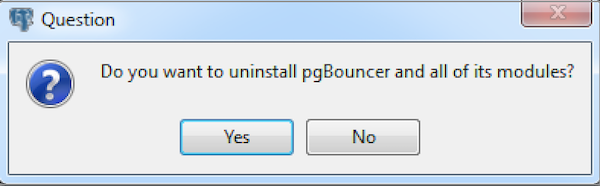
The EDB PgBouncer Uninstaller
Fig. 1: The EDB PgBouncer Uninstaller
The uninstallation process begins. Click
OKwhen the uninstallation completes:
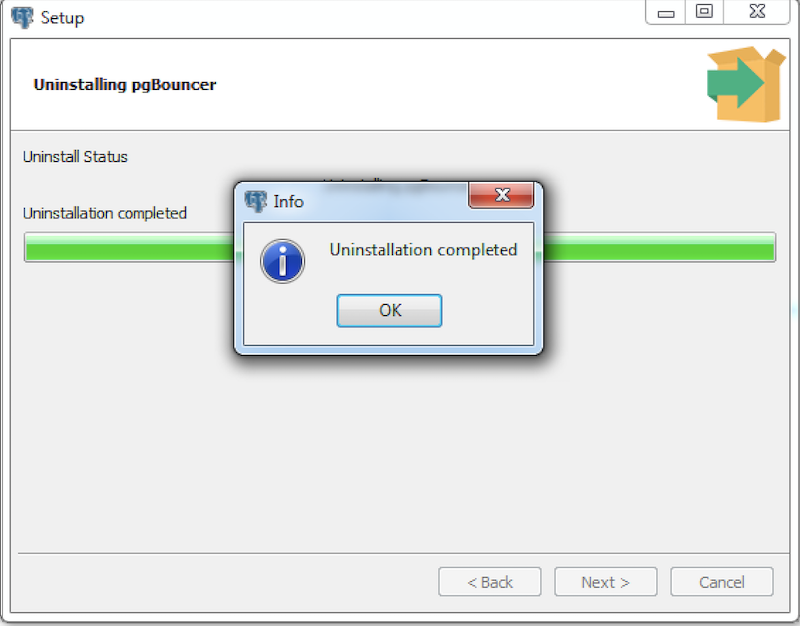
Uninstallation completes
Fig. 2: Uninstallation completes