Schema Migration
After resolving errors in your schemas, you can use the schemas with a client application such as pgAdmin, ToadEdge, or PSQL client or migrate the schema to an EDB Cloud Database Service (CDS) cluster.
Please Note: For more information, about using Toad Edge with Advanced Server, see Toad Edge® for Postgres.
The Advanced Server instance must be installed in Oracle Mode to enable native compatibility with key Oracle capabilities.
Migrating a Schema to a CDS cluster
Perform the following steps to migrate your database to a CDS cluster:
On the
Assessmentpage, clickExport/Deploy.Select the
Migrate to existing CDS clusteroption.For information about creating a new cluster, see Creating a Server Cluster.
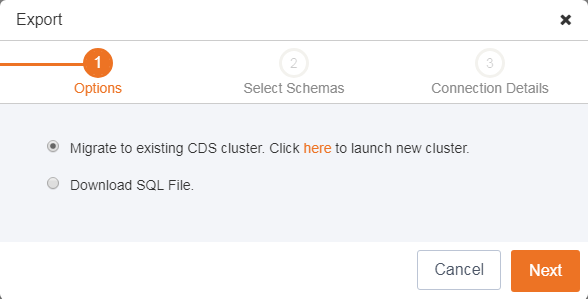
Migrating database to CDS cluster.
- Click
Next. - Select the schemas you wish to migrate.
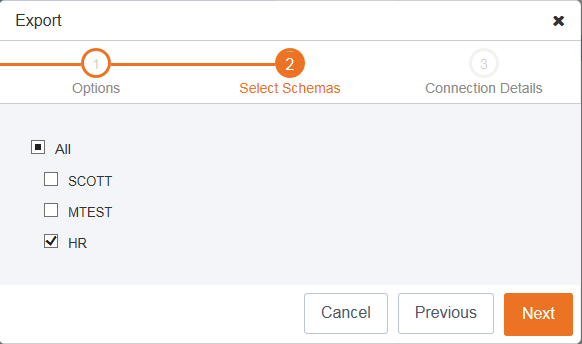
Select schemas for migration.
- Click Next to continue.
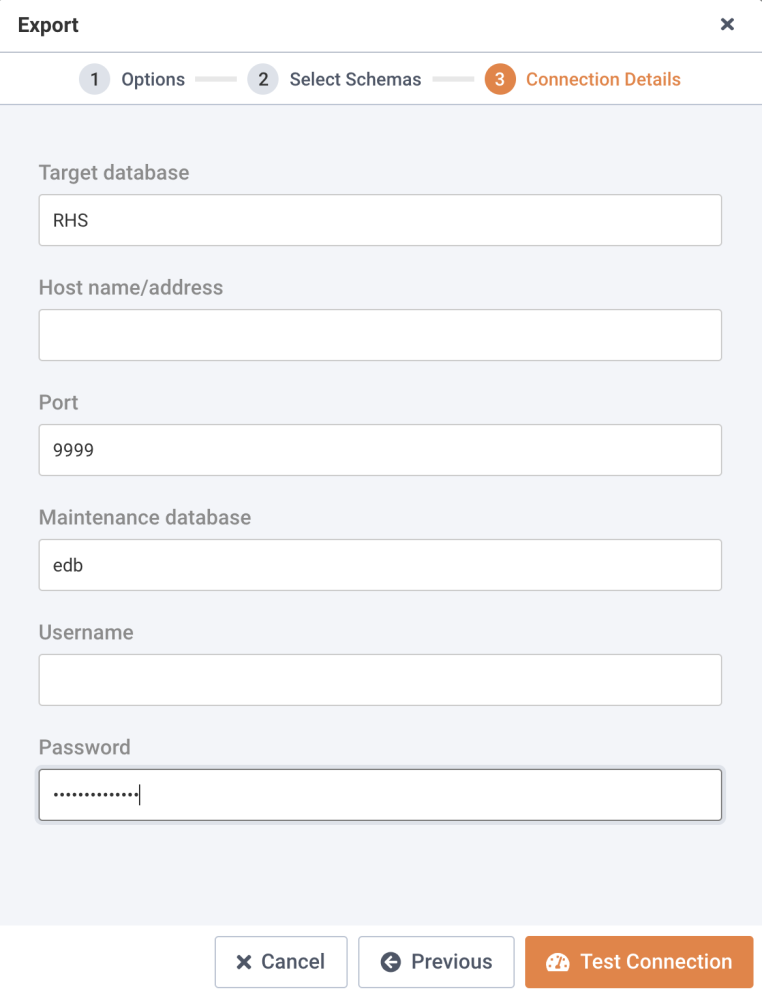
Provide connection details.
- Enter the following details in the
Connection Detailsdialog:
- Enter the host name or IP address in the
Host name/addressfield. - Enter the port number in the
Portfield. - Enter the database name in the
Maintenance databasefield. - Enter the user name in the
Usernamefield. - Enter the password associated with the user in the
Passwordfield.
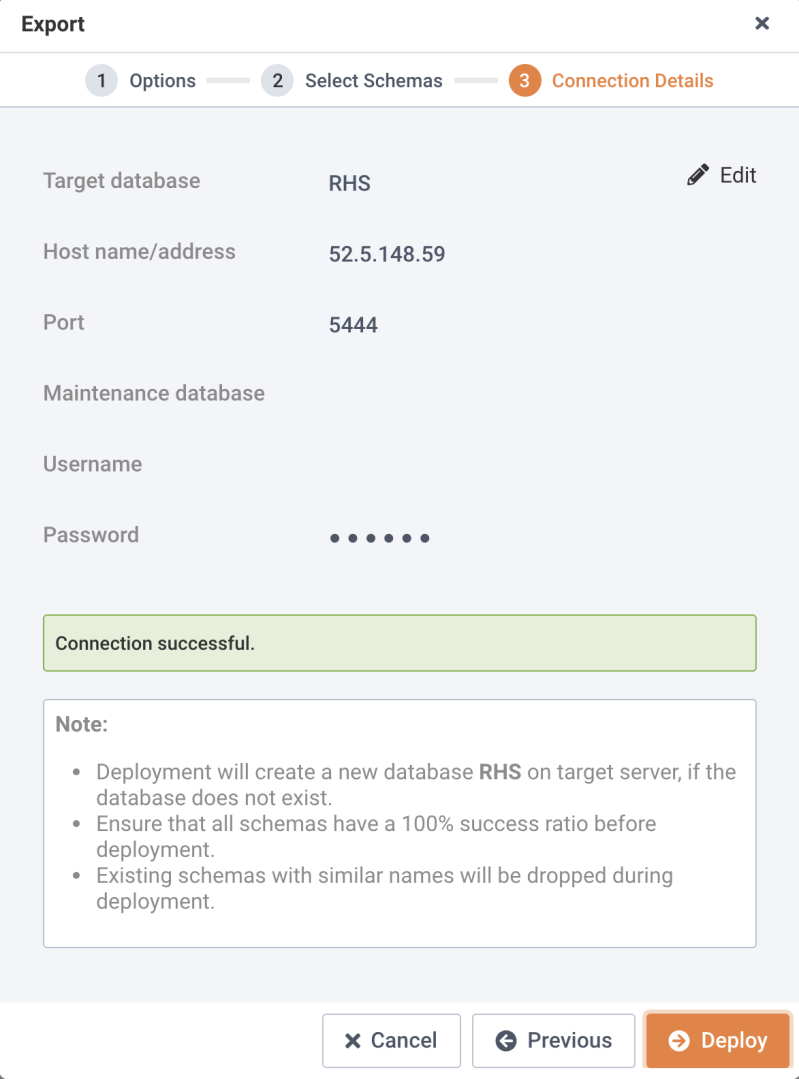
Testing a successful connection.
Click
Test Connectionto verify the connection details.Note: You can click
Editto make changes to the connection details and retest the connection details.Once the connection is successful, click
Deploy.You can view the deployment details on the
Deploydialog; clickDownload Summaryto download the deployment log.
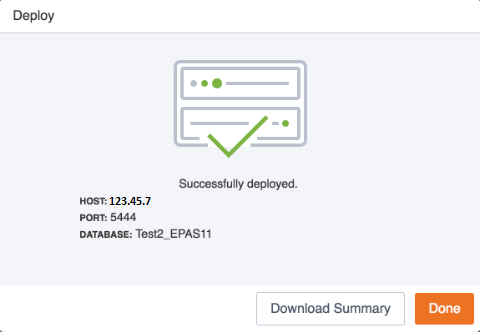
A successful deployment.
- Click
Doneto close the window.