Monitoring Failover Manager
If you are using EDB Failover Manager to monitor your replication scenario, you must manually install and configure Failover Manager. For detailed information about installing Failover Manager, visit the EnterpriseDB website at:
https://www.enterprisedb.com/products/edb-postgres-platform/edb-postgres-failover-manager
To monitor the status of a Failover Manager cluster on the Streaming
Replication dashboard, you must provide the following information on the
Advanced tab of the server Properties dialog for each node of the
cluster:
- Use the
EFM Cluster Namefield to specify the name of the Failover Manager cluster. The cluster name is the prefix of the name of the cluster properties file. For example, if your cluster properties file is named efm.properties, your cluster name is efm. - Use the
EFM Installation Pathfield to specify the location of the Failover Manager binary file. By default, the Failover Manager binary file is installed in /usr/efm-2.1/bin.
After registering your servers, the Streaming Replication Analysis
dashboard will display status information about your EFM cluster near
the bottom of the dashboard.
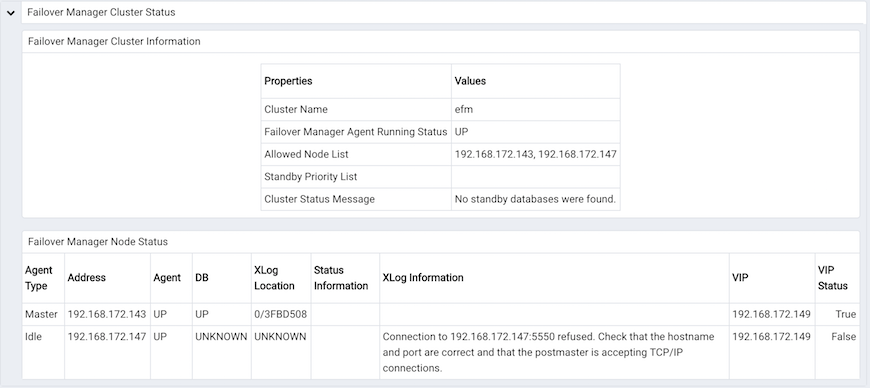
The Failover Manager cluster status report
The Failover Manager Cluster Status section of the Streaming Replication
Analysis dashboard displays information about the monitored cluster:
The Failover Manager Cluster Information table provides information
about the Failover Manager cluster:
- The
Propertiescolumn displays the name of the cluster property. - The
Valuescolumn displays the current value of the property.
The Failover Manager Node Status table displays information about each
node of the Failover Manager cluster:
- The
Agent Typecolumn displays the type of agent that resides on the node; the possible values are Master, Standby, Witness, Idle, and Promoting. - The
Addresscolumn displays the IP address of the node. - The
Agentcolumn displays the status of the agent that resides on the node. - The
DBcolumn displays the status of the database that resides on the node. - The
XLog Locationcolumn displays the transaction log location of the database. - The
Status Informationcolumn displays any error-related information about the node. - The
XLogInformation column displays any error-related information about the transaction log. - The
VIPcolumn displays the VIP address that is associated with the node. - The
VIP Statuscolumn displays True if the VIP is active for the node, False if the VIP is not.
Replacing a Master Node
You can use the PEM client to replace the Master node of a Failover Manager cluster with a standby node. To initiate the failover process, select Replace Cluster Master from the Management menu. A dialog opens, asking you to confirm that you wish to replace the current master node.
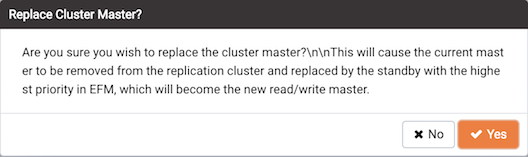
Replacing the Master node of a cluster
Select Yes to remove the current master node from the Failover Manager
cluster and promote a standby node to the role of read/write master node
within a Failover Manager cluster. The node with the highest promotion
priority (defined in Failover Manager) will become the new master node.
PEM will display a dialog, reporting the job status.
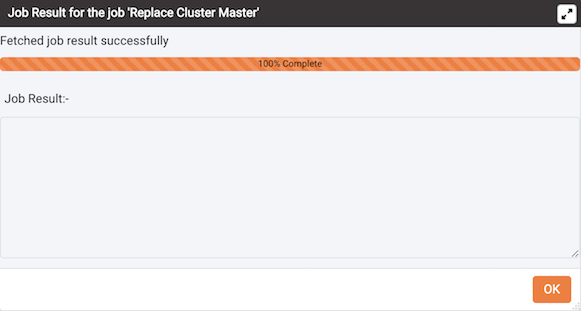
Confirmation of the promotion
When the job completes and the Streaming Replication Analysis dashboard
refreshes, you can review the Failover Manager Node Status table to
confirm that a standby node has been promoted to the role of master
within the Failover Manager cluster.