Schema Diff
Schema Diff は、2つのデータベースまたは2つのスキーマ間でオブジェクトを比較できる機能です。 Tools メニューを使用して、SchemaDiffにアクセスします。
スキーマ差分機能を使用すると、次のことができます。
データベースオブジェクトを比較および同期しますソースからターゲットへ。
データベースオブジェクト間の違いを視覚化します。
List the differences in SQL statement for target database objects.
同期スクリプトを生成します。
Note:
ソースデータベースサーバーとターゲットデータベースサーバーは、同じメジャーバージョンである必要があります。
2つの schemas を比較しても、依存関係は解決されません。
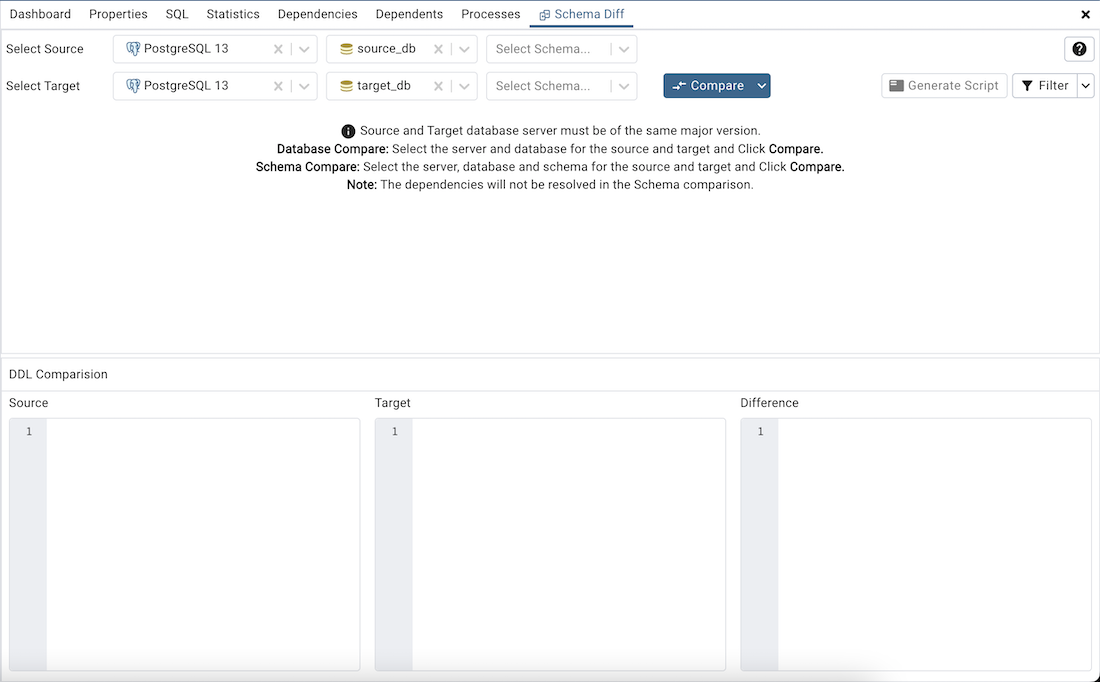
Tools メニューの下の SchemaDiff をクリックして、選択パネルを開きます。 databases を比較するには、ソースサーバー、ターゲットサーバー、およびデータベースを選択します。 databases を比較するには、ソースおよびターゲットサーバー、データベース、およびスキーマを選択します。オブジェクトを選択したら、[ 比較 ]ボタンをクリックします。
スキーマ差分 の複数のコピーを個々のタブで同時に開くことができます。SchemaDiffのコピーを閉じるには、タブバーの右上隅にある X をクリックします。右クリックして/"RenamePanel/"オプションを選択して、パネルタイトルの名前を変更できます。
Preferences ダイアログを使用して、以下を指定します。
SchemaDiff が新しいブラウザタブで開きます。 新しいブラウザタブで開く オプションをtrueに設定します。
SchemaDiff は、文字列オブジェクトを比較するときに空白を無視する必要があります。 IgnoreWhitespaces オプションをtrueに設定します。
SchemaDiff は、オブジェクトを比較しているときに所有者を無視する必要があります。 Ignoreowner オプションをtrueに設定します。
ワークスペースレイアウトのスキーマ差分
ワークスペースレイアウトは、気を散らさないスキーマ差分専用の領域を提供します。デフォルトでは、SchemaDiffワークスペースボタンは、少なくとも1つのSchemaDiffタブが開かれるまで無効になっています。
Note ワークスペースレイアウトでは、すべてのSchemaDiffタブがSchemaDiffワークスペース内で開きます。
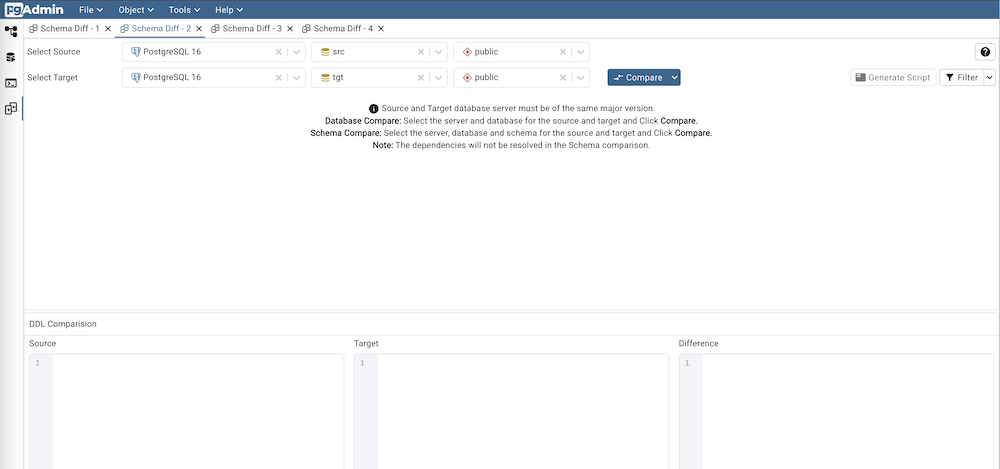
SchemaDiff パネルは2つのパネルに分割されています。anObjectComparisonpanelandaDDLComparisonpanel.
スキーマ差分オブジェクト比較パネル
オブジェクト比較パネルでは、同じメジャーバージョンのソースサーバーとターゲットサーバー、および比較するデータベースを選択できます。接続されているか切断されているかにかかわらず、オブジェクトエクスプローラーの下にリストされているサーバーを選択できます。接続されていないサーバーを選択すると、サーバーを使用する前にパスワードの入力を求められます。
次に、比較するデータベースを選択します。データベースは同じでも異なっていてもよく、同じサーバー内または別のサーバーからでもかまいません。
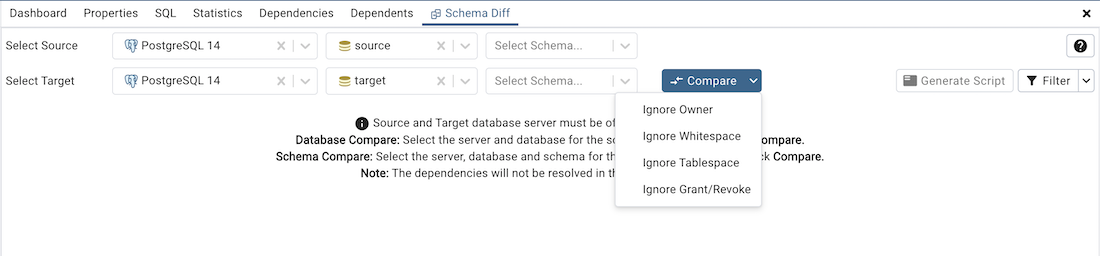
Compare ボタンの近くのドロップダウンを使用して、所有者、空白、テーブルスペース、および付与を無視します。
IgnoreOwner–オブジェクトの比較中に所有者を無視する場合に選択します。
IgnoreWhitespace–文字列オブジェクトの比較中に空白を無視する場合に選択します。ホワイトスペースには、スペース、タブ、CRLFが含まれます。
IgnoreTablespace–オブジェクトの比較中にテーブルスペースを無視する場合に選択します。
IgnoreGrant/Revoke–オブジェクトの比較中にgrantおよびrevokeコマンドを無視する場合に選択します。
サーバーとデータベースを選択したら、[ 比較 ]ボタンをクリックして 比較結果 を取得します。
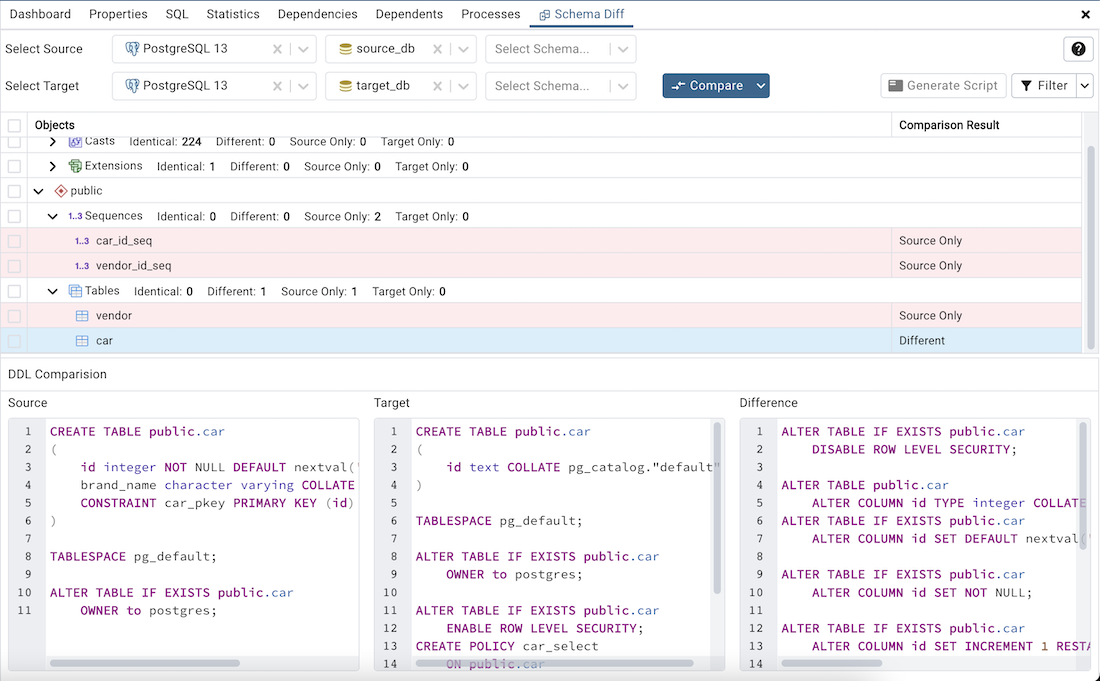
Use the drop-down lists of Database Objects to view the DDL statements.
オブジェクト比較パネルの右上隅には、次の比較基準に基づいてデータベースオブジェクトをフィルタリングするために使用できる Filter オプションがあります。
Identical – If the object is found in both databases with the same SQL statement, then the comparison result is identical.
Different – If the object is found in both databases but have different SQL statements, then the comparison result is different.
ソースのみ–オブジェクトがソースデータベースのみで見つかり、ターゲットデータベースで見つからない場合、比較結果はソースのみです。
ターゲットのみ–オブジェクトがターゲットデータベースのみで見つかり、ソースデータベースではない場合、比較結果はターゲットのみです。

Click on any of the database objects in the object comparison panel to display the DDL Statements of that object in the DDL Comparison panel.
Help アイコンをクリックして、SchemaDiffドキュメントを開きます。
Schema Diff DDL Comparison Panel
The DDL Comparison panel displays three columns:
The first column displays the DDL statement of the object from the source database.
The second column displays the DDL statement of the object from the target database.
The third column displays the difference in the SQL statement of the target database object.
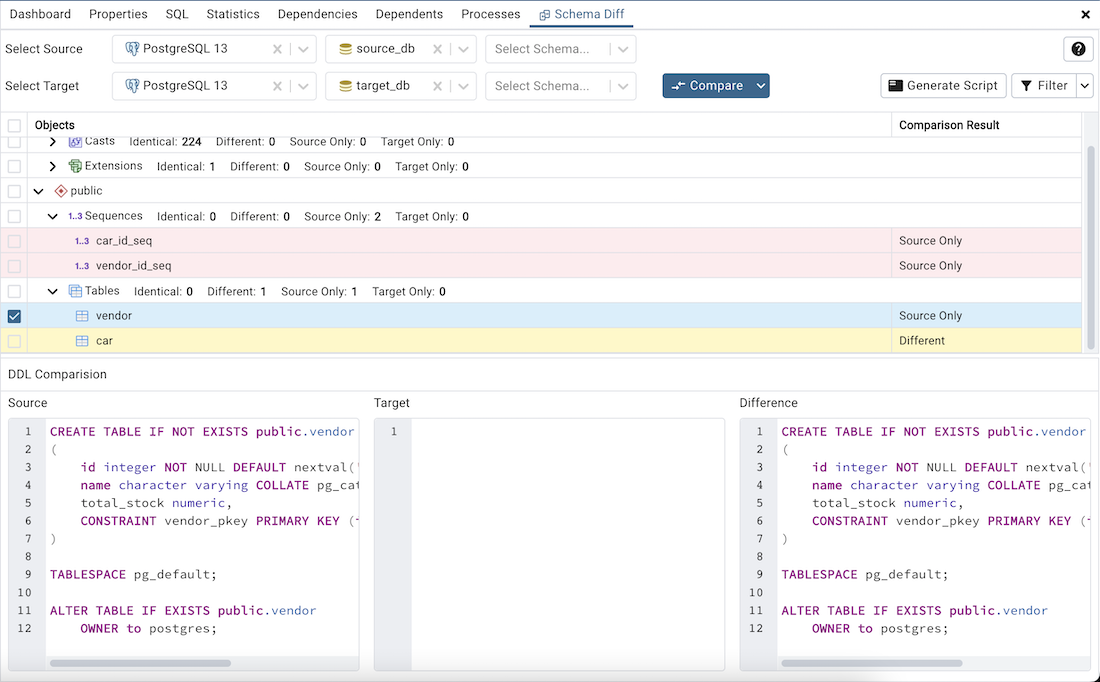
You can review the DDL statements of all the database objects to check for the differences in the SQL statements.
Also,youcangeneratetheSQLscriptofthedifferencesfoundinthetargetdatabaseobjectbasedontheSQLstatementofthesourcedatabaseobject.スクリプトを生成するには、オブジェクト比較パネルでデータベースオブジェクトのチェックボックスを選択し、オブジェクト比較パネルの右上隅にある GenerateScript ボタンをクリックします。
Select the database objects and click on the Generate Script button to open the Query Tool in a new tab, with the difference in the SQL statement displayed in the Query Editor.
If you have clicked on the database object to check the difference generated in the DDL Comparison Panel, and you have not selected the checkbox of the database object, pgAdmin will open the Query Tool in a new tab, with the differences in the SQL statements displayed in the Query Editor.
You can also use the Copy button to copy the difference generated in the DDL Comparison panel.

Apply the SQL Statement in the target database to synchronize the databases.