
Failover Manager with virtual IP#
Failover Manager provides support for clusters that use a virtual IP (VIP).
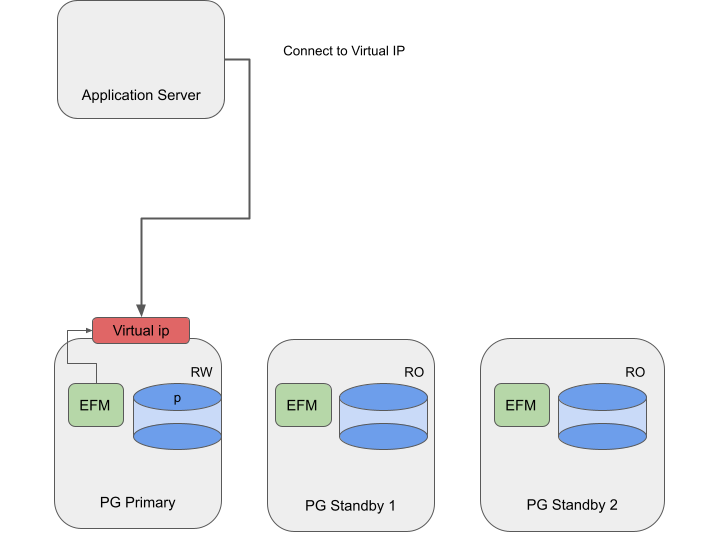
Failover Manager with VIP#
Using Failover Manager with VIP#
Installing#
Install and configure the Advanced Server database and Failover Manager on three servers as following:
Systems |
Components |
|---|---|
PG Primary, PG Standby1, and PG Standby2 |
Primary / standby nodes running Advanced Server and Failover Manager. |
Specifying VIP#
In the cluster properties file, provide the hostname or IP address in
the virtual.ip property. Specify the corresponding prefix in the
virtual.ip.prefix property. Use the virtual.ip.interface
property to provide the network interface used by the VIP. By default,
the virtual.ip and virtual.ip.prefix values are the same across
all the agents.
The specified virtual IP address is assigned only to the primary node of
the cluster. If you specify virtual.ip.single=true , the same VIP
address is used on the new primary during a failover. Specify a value of
false to provide a unique IP address for each node of the cluster.
For information about using a virtual IP address, see Using Failover Manager with virtual IP addresses .